Simulating a circuit
FalCAD simulates schematics with its own analog engine, which uses modified nodal analysis, and an event-driven logic engine. Both run locally in the browser or on the desktop. Every analysis is checked against closed-form results in the engine’s test suite.
Run the starter simulation
- Create a project from the LED + resistor template.
- In the Explorer, open Operating point.
- Click Run (
F5).
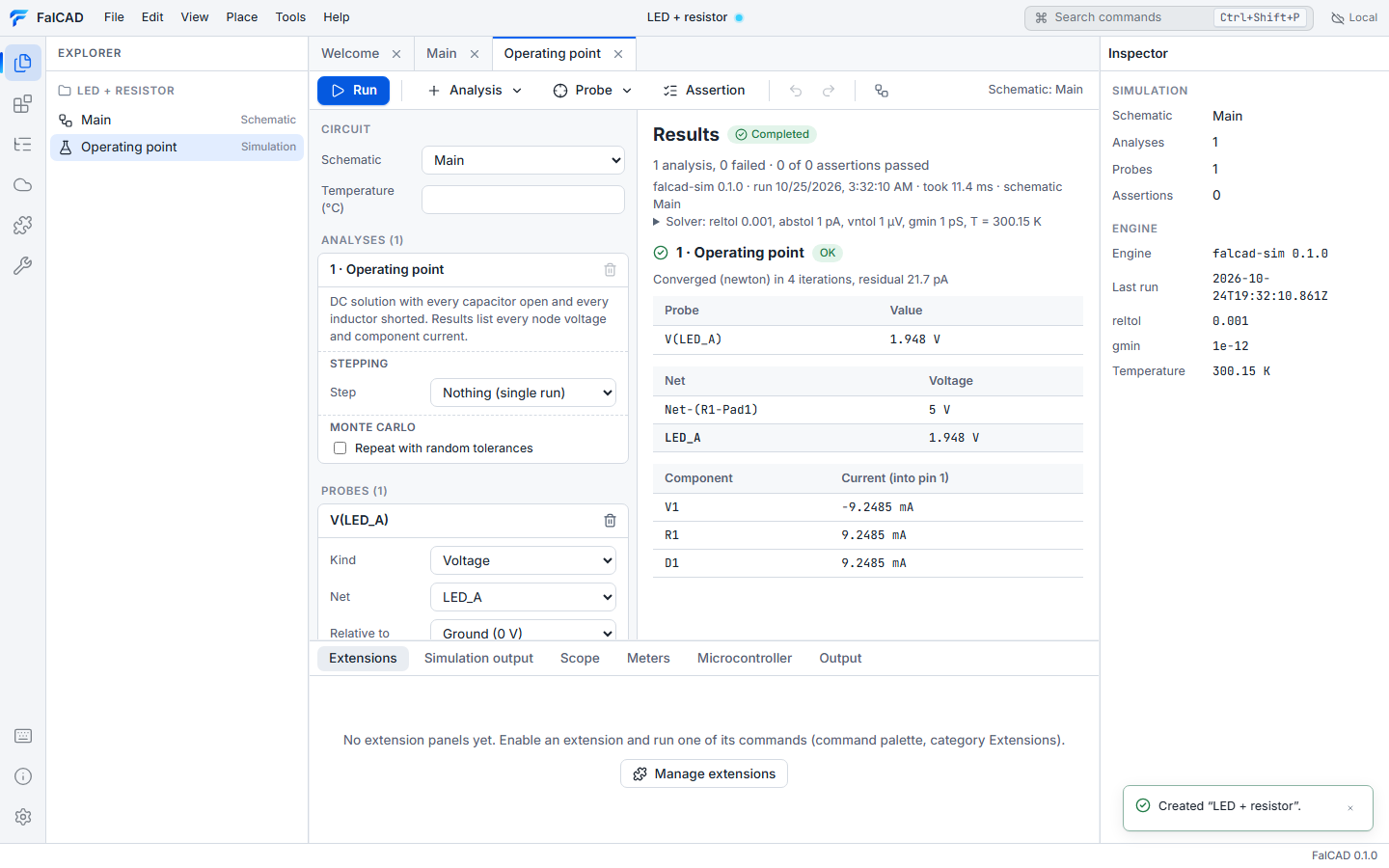
The results list every probe, every node voltage and every component current. V(LED_A) comes out at about 1.95 V for a red LED. Click a net to highlight it in the schematic.
Simulate any schematic
In a schematic, open the command palette and run Simulate this schematic. FalCAD creates a simulation document that probes every named net, runs an operating point, and opens the results.
Analyses
| Analysis | Settings | Result |
|---|---|---|
| Operating point | — | DC voltages and currents |
| Transient | stop time, maximum step, method (trapezoidal / backward Euler) | waveforms over time |
| DC sweep | source, start, stop, step | values against the swept source |
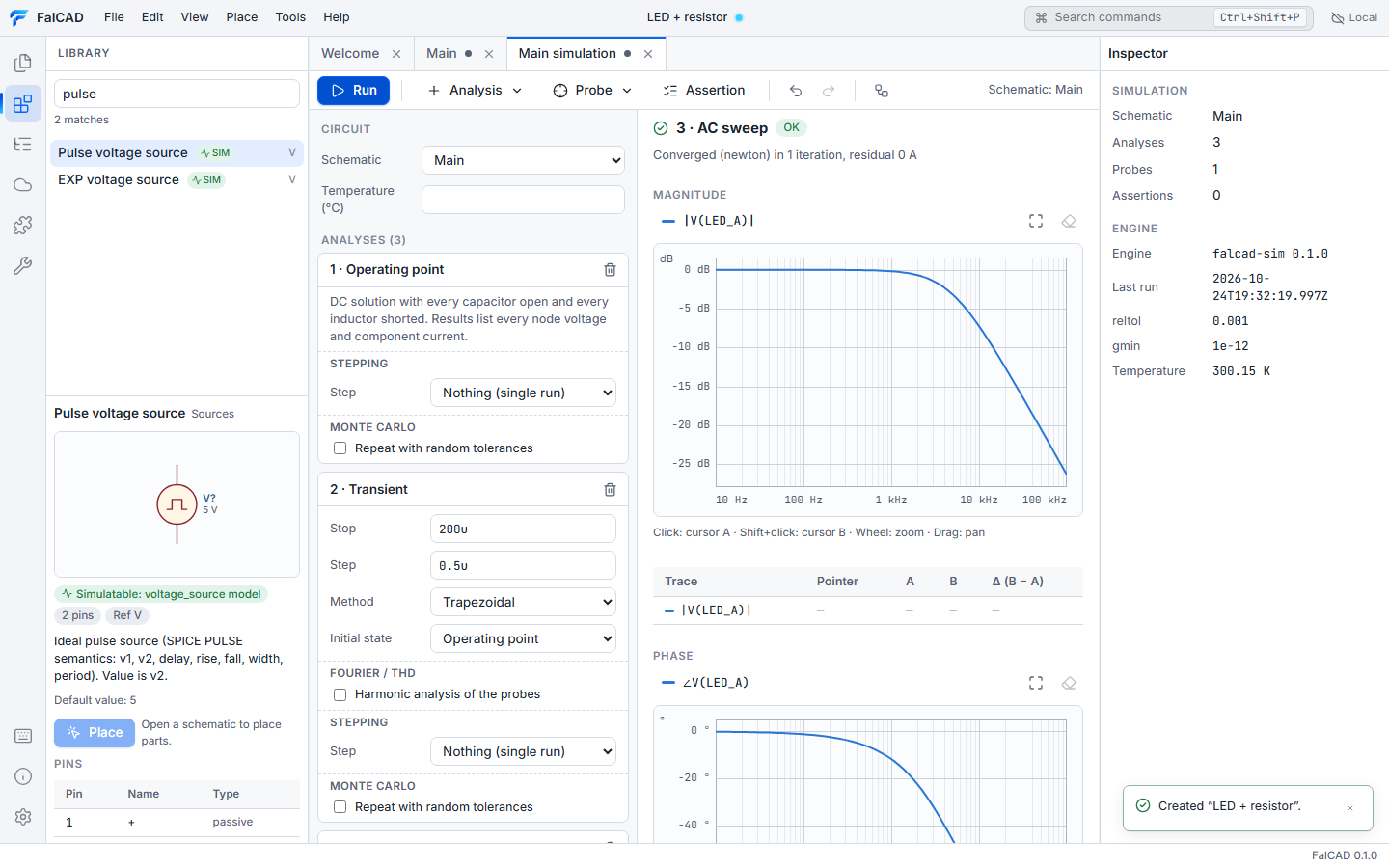
| AC | source, start and stop frequency, points per decade | Bode plot (magnitude in dB, phase) |
| Logic | stop time | digital waveforms (0, 1, X, Z) |
Values use engineering notation: 200u, 0.5u, 10k, 1meg.
Read waveforms
- Wheel zooms around the pointer (with
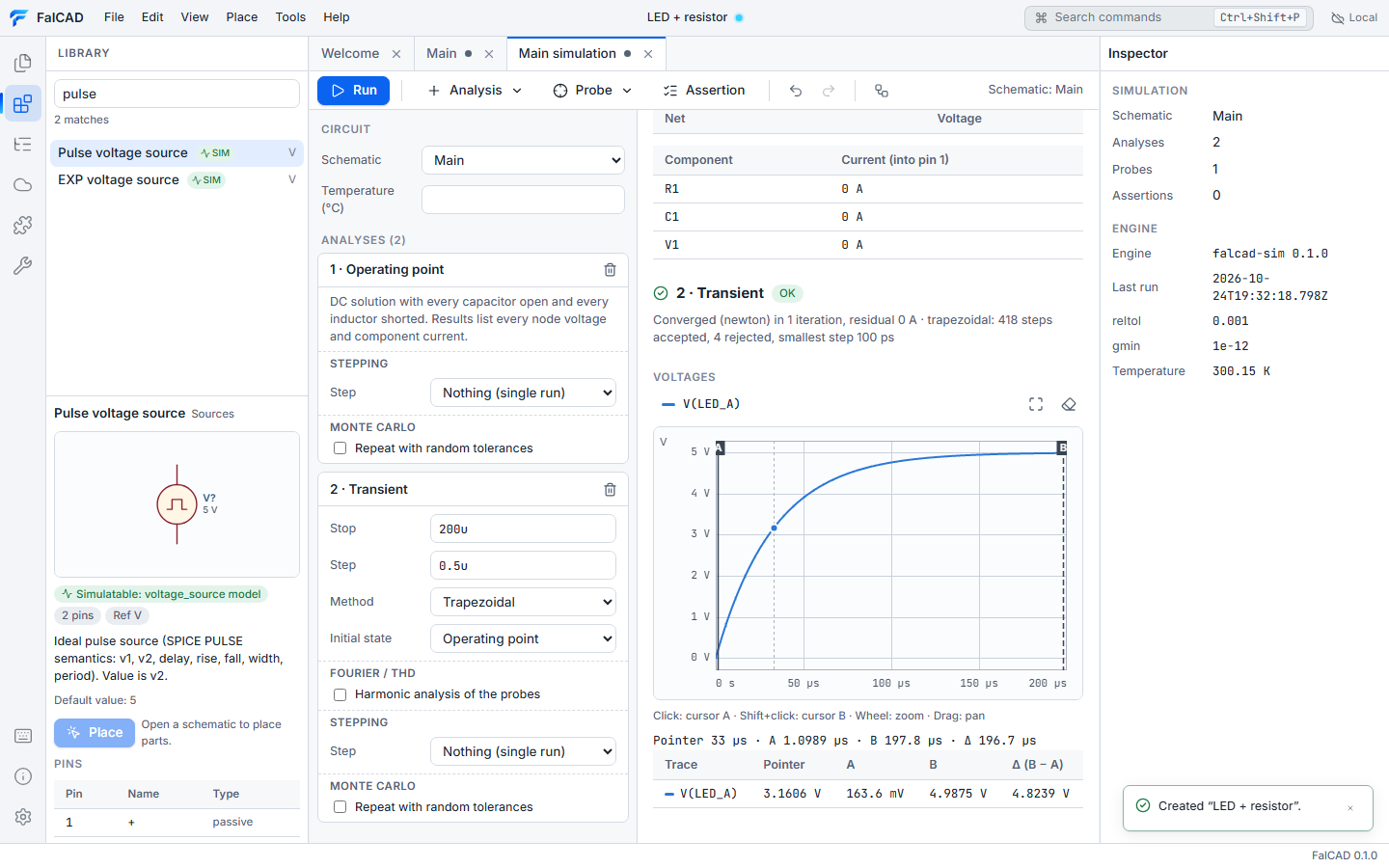
Shiftit zooms the y axis); drag pans. - Click places cursor A and Shift+click places cursor B. The table shows values at both cursors and the differences between them.
- Click legend entries to hide or show traces.
Regression assertions
Add assertions such as “V(OUT) between 3.2 V and 3.4 V at 1 ms”. They are checked after every run, and falcad sim returns a failing exit code in CI when one fails.
What the engine supports
Resistors, capacitors, inductors, DC/pulse/sine/PWL sources, diodes and LEDs (Shockley model with series resistance), switches, VCVS, and gate-level logic. Results record the engine version and solver settings. The capability matrix lists what is verified. More device models (transistors, op-amps, controlled sources, transformers) and interactive live simulation are being added.