From schematic to board
Create the board
In a schematic, run Create PCB from this schematic from the command palette or the Tools menu. FalCAD places every part that has a footprint on a new board, linked to its schematic component. Parts without a physical footprint, such as an ideal simulation source, are listed as skipped instead of being silently ignored.
Place and route
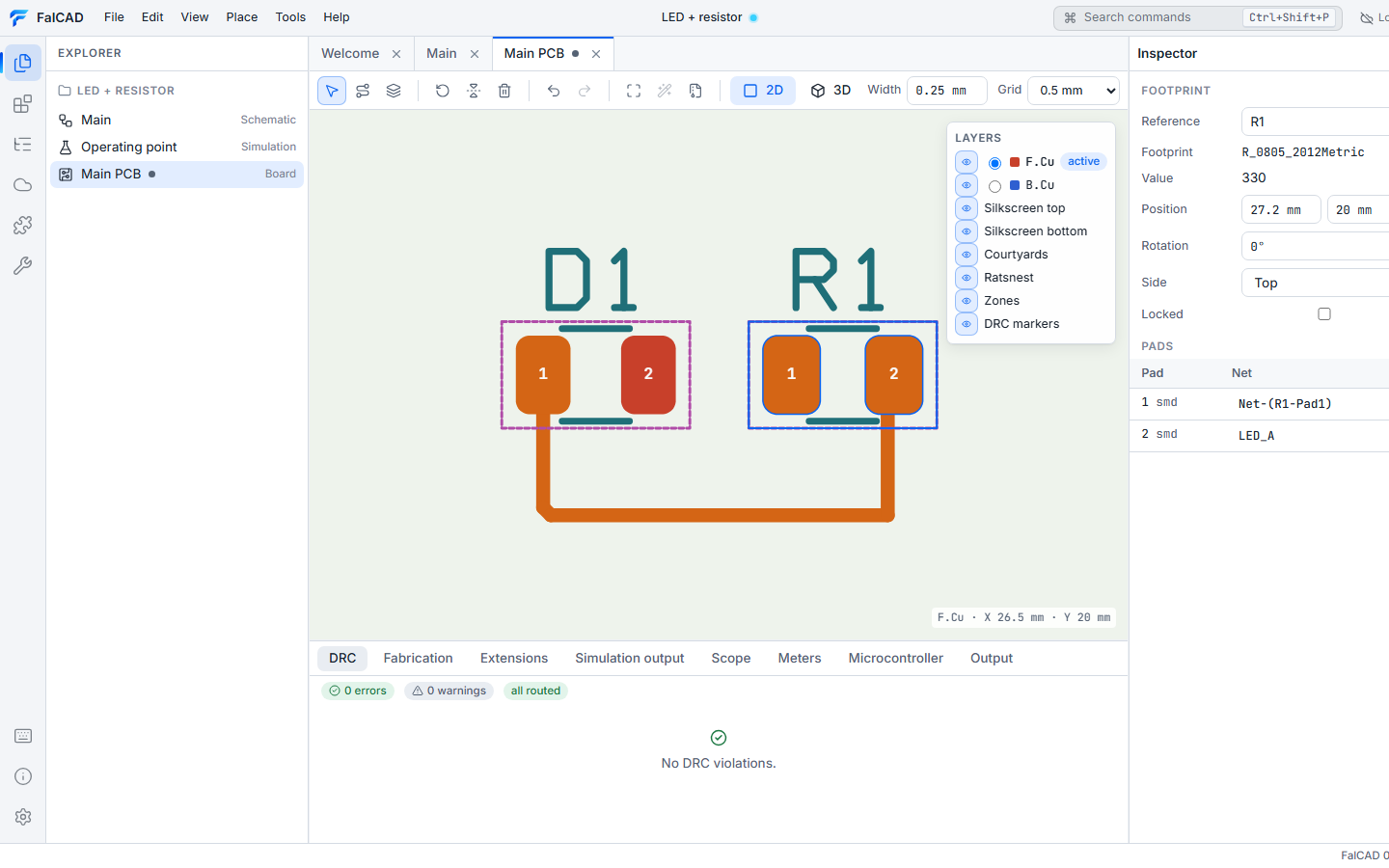
| Action | How |
|---|---|
| Move a part | drag it; R rotates, F flips it to the other side |
| Route | start the track tool on a pad and click corners (45°/90°). The route ends on a pad, and V places a via and switches layer. A segment that would break a design rule is refused, with the reason. |
| Layers | show or hide copper, silkscreen, courtyards, ratsnest, zones and DRC markers; pick the active layer |
| Inspect | selecting a part highlights its nets. The inspector edits position, rotation, side, width and net. |
All edits can be undone. Ratsnest lines show connections that aren’t routed yet.
Check
The DRC tab lists violations: clearances, track width, drill and annular ring, hole-to-hole, edge clearance, parts outside the board, shorts, unrouted connections and courtyard overlaps. Click one to zoom to it.
3D preview
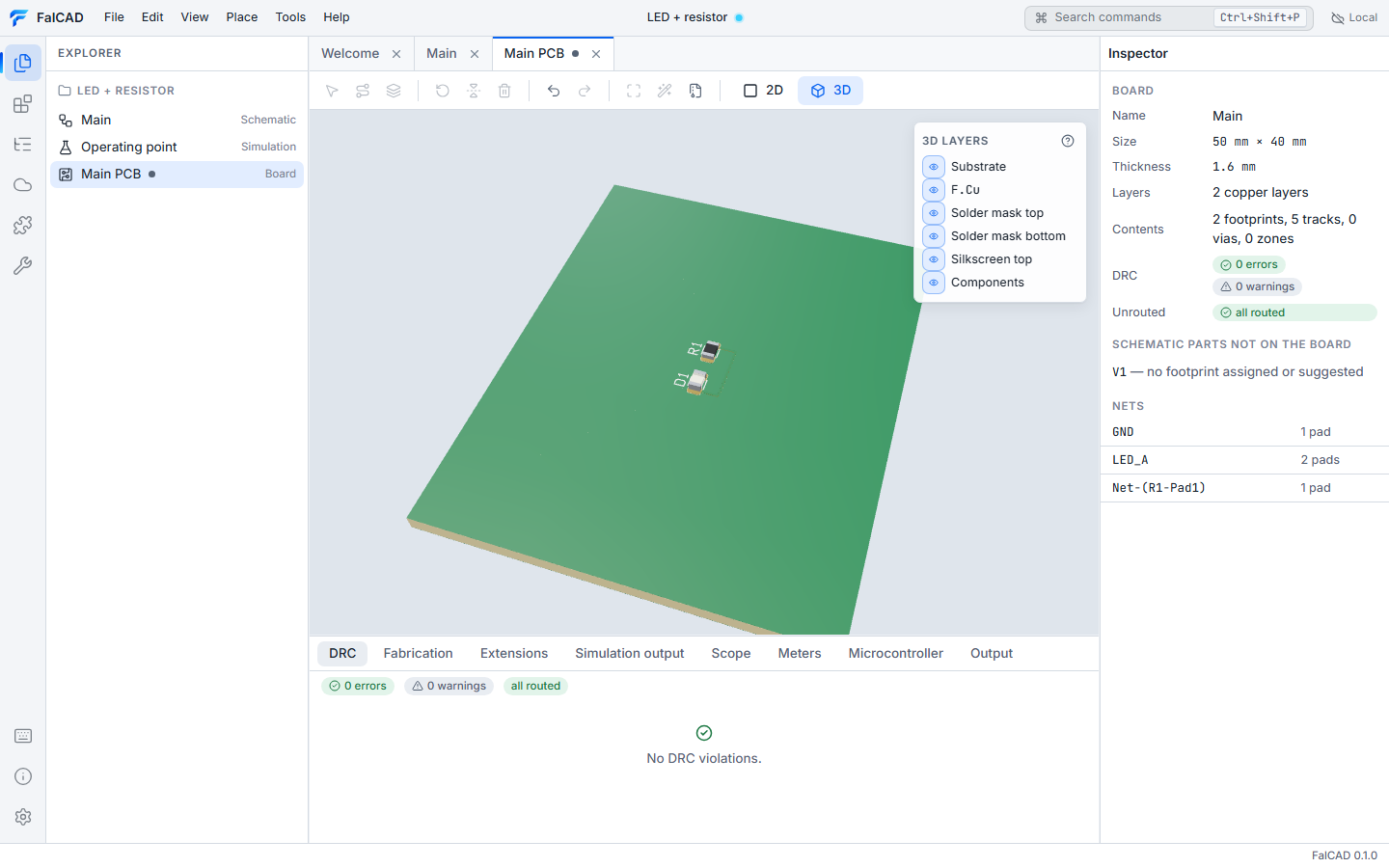
Switch to 3D to orbit around the board. The model is built from the board data: exact track widths on every copper layer, pads, vias and filled zones, drilled holes, solder mask with openings, silkscreen, and package bodies generated from each footprint (chip parts, SOIC, QFN, DIP, headers, connectors, electrolytics, modules and more). A footprint can use your own GLB, glTF, STL or OBJ model instead. The layer panel shows or hides each copper layer, the mask, the silkscreen, the components and the substrate.
To place the board in a product with other boards and mechanical parts, and wire them together, see 3D assembly and wiring.
Manufacturing files
The Fabrication tab exports one ZIP file containing:
- Gerber X2 files for every layer
- Excellon drill files
- a BOM and pick-and-place file
- a manifest with every file’s SHA-256
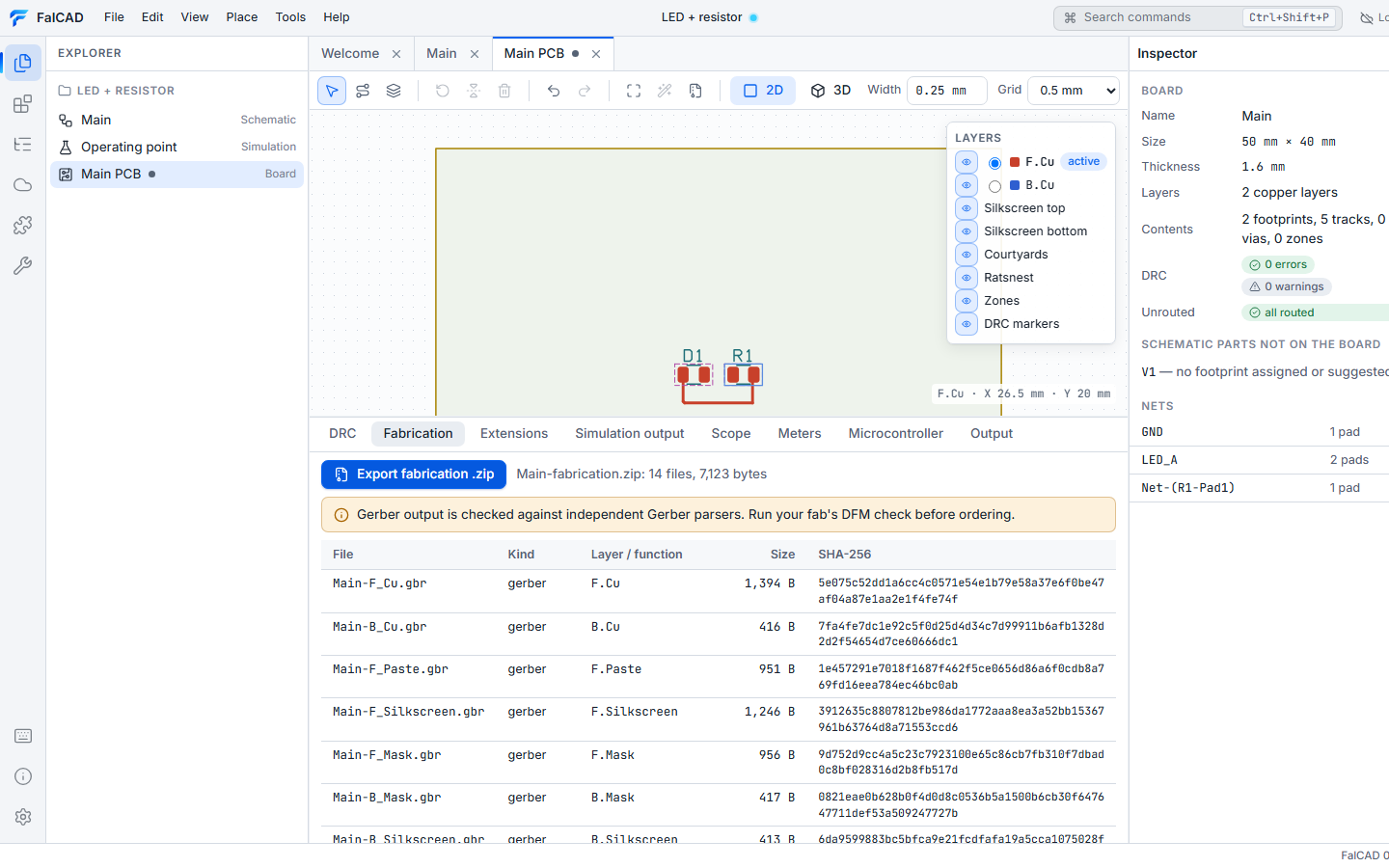
These files pass three independent Gerber parsers in FalCAD’s test suite, but no fabricator has accepted them yet. Check them in a Gerber viewer and with your fabricator’s DFM check before ordering.